# USB Connection to PC
**URL:** https://forum.sensor.community/t/usb-connection-to-pc/1810
**Category:** Uncategorized
**Created:** [January 12, 2023, 12:26pm UTC](https://forum.sensor.community/t/usb-connection-to-pc/1810 "2023-01-12T12:26:04Z")
**Posts on this page:** 4
**Page:** 1
### Author:  [@RiskeSensor](https://forum.sensor.community/u/RiskeSensor)
#### Post date: [January 12, 2023, 12:26pm UTC](https://forum.sensor.community/t/usb-connection-to-pc/1810/1 "2023-01-12T12:26:04Z")
Hi, I have a sensor that is not appearing on the map anymore, what pc software would enable me to check if the sensor is working on a win 10 pc via the usb connection
---
### Author:  [@pjg](https://forum.sensor.community/u/pjg)
#### Post date: [January 13, 2023, 7:56am UTC](https://forum.sensor.community/t/usb-connection-to-pc/1810/2 "2023-01-13T07:56:40Z")
The easiest way is to install the Arduino IDE. It should open the ports and you should be able to the the info in the serial monitor at 9600 bauds.
[https://docs.arduino.cc/software/ide-v2/tutorials/getting-started/ide-v2-downloading-and-installing](https://docs.arduino.cc/software/ide-v2/tutorials/getting-started/ide-v2-downloading-and-installing)
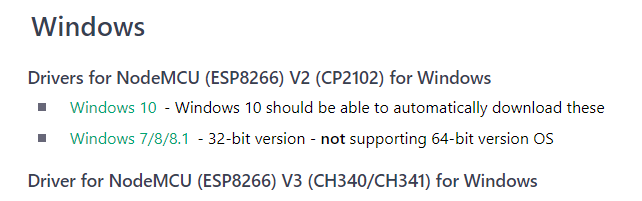
Check here for the driver for the ports:
[https://sensor.community/en/sensors/airrohr/](https://sensor.community/en/sensors/airrohr/)
---
### Author:  [@RiskeSensor](https://forum.sensor.community/u/RiskeSensor)
#### Post date: [January 13, 2023, 8:12am UTC](https://forum.sensor.community/t/usb-connection-to-pc/1810/3 "2023-01-13T08:12:59Z")
Okay thanks ill give it a try and get back to you
---
### Author:  [@RiskeSensor](https://forum.sensor.community/u/RiskeSensor)
#### Post date: [January 13, 2023, 1:13pm UTC](https://forum.sensor.community/t/usb-connection-to-pc/1810/4 "2023-01-13T13:13:36Z")
Thanks for the info by connecting to a pc with the Arduino software I have managed to get the sensor back on the network