# Open network connection
**URL:** https://forum.sensor.community/t/open-network-connection/947
**Category:** Uncategorized
**Created:** [November 4, 2021, 2:43pm UTC](https://forum.sensor.community/t/open-network-connection/947 "2021-11-04T14:43:17Z")
**Posts on this page:** 14
**Page:** 1
### Author:  [@nanocastro](https://forum.sensor.community/u/nanocastro)
#### Post date: [November 4, 2021, 2:43pm UTC](https://forum.sensor.community/t/open-network-connection/947/1 "2021-11-04T14:43:17Z")
Hi all
Is there any reason for a node to not being able to connect in an open wi-fi network?
---
### Author:  [@pjg](https://forum.sensor.community/u/pjg)
#### Post date: [November 4, 2021, 5:02pm UTC](https://forum.sensor.community/t/open-network-connection/947/2 "2021-11-04T17:02:59Z")
@ricki-z es funktionierte doch direkt mit Freifunk, oder ?
---
### Author:  [@ricki-z](https://forum.sensor.community/u/ricki-z)
#### Post date: [November 4, 2021, 5:59pm UTC](https://forum.sensor.community/t/open-network-connection/947/3 "2021-11-04T17:59:51Z")
Nein, dafür muss man zunächst die Konfig via Flashing Tool schreiben und dann beim ersten Start noch das korrekte WiFi-Netzwerk wählen (beim Speichern der Konfig scheint da noch ein Test drin zu sein, daß kein WiFi-Name gesetzt wird wenn das Passwort leer ist).
---
### Author:  [@nanocastro](https://forum.sensor.community/u/nanocastro)
#### Post date: [November 4, 2021, 7:31pm UTC](https://forum.sensor.community/t/open-network-connection/947/4 "2021-11-04T19:31:52Z")
hi
ohoh I don’t know any german so ☹ i’m guessing here… the problem is maybe that this open wifi network does not require a password? If this is the case, is there a way around?
---
### Author:  [@ricki-z](https://forum.sensor.community/u/ricki-z)
#### Post date: [November 4, 2021, 9:31pm UTC](https://forum.sensor.community/t/open-network-connection/947/5 "2021-11-04T21:31:42Z")
Try the following with the release version:
- choose open wifi network or type the name in the input field
- clear the password field (even with no password set the asterisk signs should be there)
- save the new settings
---
### Author:  [@nanocastro](https://forum.sensor.community/u/nanocastro)
#### Post date: [November 5, 2021, 8:36pm UTC](https://forum.sensor.community/t/open-network-connection/947/6 "2021-11-05T20:36:54Z")
Hi @ricki-z
I’ve tried clearing the password (asterisk don’t show) and writing any password (numbers, empty spaces…) but it doen’t work… any other idea I can try?
Gracias
---
### Author:  [@pjg](https://forum.sensor.community/u/pjg)
#### Post date: [November 6, 2021, 6:26am UTC](https://forum.sensor.community/t/open-network-connection/947/7 "2021-11-06T06:26:37Z")
Can you copy/paste the USB log? We have to look at what the sensor exactly says.
Find a data USB cable and then use the serial monitor of the Arduino IDE or the screen instruction in linux/mac.
---
### Author:  [@tarpit](https://forum.sensor.community/u/tarpit)
#### Post date: [November 6, 2021, 11:23am UTC](https://forum.sensor.community/t/open-network-connection/947/8 "2021-11-06T11:23:07Z")
I know a bit about this when I was playing about with “EN” and channel 13.
The problem is with the procedure call Wifi.begin and the version of the library the code is built against. I cannot remember which version of the library does what, but it seems from my messing about that the overloaded Wifi.begin where no password parameter is provided works.
The code in connectWifi() needs to be something like
```auto
// MD need to scan SSIDs to see if open ??
Debug.println("\n\nScan start ... ");
int n = WiFi.scanNetworks(false, true);
{
String ssid;
uint8_t encryptionType;
int32_t RSSI;
uint8_t* BSSID;
int32_t channel;
bool isHidden;
bool found=false;
for (int i = 0; i < n; i++) {
WiFi.getNetworkInfo(i, ssid, encryptionType, RSSI, BSSID, channel, isHidden);
Debug.printf("%d: %s, Ch:%d (%ddBm) %s %s\n", i + 1, ssid.c_str(), channel, RSSI, encryptionType == ENC_TYPE_NONE ? "open" : "", isHidden ? "hidden" : "");
if (strcmp(cfg::wlanssid, ssid.c_str()) == 0) {
found=true;
if (encryptionType == ENC_TYPE_NONE) {
WiFi.begin(cfg::wlanssid); // Start WiFI
} else {
WiFi.begin(cfg::wlanssid, cfg::wlanpwd); // Start WiFI
}
}
}
// MD 25-May-21 If not found, it could be because it is a hidden SSID and it's not broadcasting
// so try it anyway
if (!found) {
WiFi.begin(cfg::wlanssid, cfg::wlanpwd); // Start WiFI
}
}
```
This is a direct cut/paste from my hacked about version of the firmware.
I hope this helps.
---
### Author:  [@nanocastro](https://forum.sensor.community/u/nanocastro)
#### Post date: [November 8, 2021, 3:49pm UTC](https://forum.sensor.community/t/open-network-connection/947/9 "2021-11-08T15:49:13Z")
> [@pjg](#):
>
> Can you copy/paste the USB log?
sure. i will do it tomorrow when I come back to the university were I have the nodes
and thanks @tarpit but I don’t know much about wifi communication so this is two advanced for me at the moment 🙃
---
### Author:  [@nanocastro](https://forum.sensor.community/u/nanocastro)
#### Post date: [November 12, 2021, 7:23pm UTC](https://forum.sensor.community/t/open-network-connection/947/10 "2021-11-12T19:23:52Z")
…
output debug text to displays…
Starting WiFiManager
AP ID: airRohr-1594166
Password:
scan for wifi networks…
AP Password is:
Starting Webserver… (IP unset)
AP Passw
this is the log I get
sorry for the delay
saludos
---
### Author:  [@pjg](https://forum.sensor.community/u/pjg)
#### Post date: [November 15, 2021, 8:52pm UTC](https://forum.sensor.community/t/open-network-connection/947/11 "2021-11-15T20:52:13Z")
Is the log complete ? It seems to be broken.
That means that your open network is not detected at all I think.
---
### Author:  [@nanocastro](https://forum.sensor.community/u/nanocastro)
#### Post date: [November 15, 2021, 9:49pm UTC](https://forum.sensor.community/t/open-network-connection/947/12 "2021-11-15T21:49:23Z")
hola
yes, that is all I get … when I enter the config I’m able to see the network but that is the log I get after saving that network
thanks
---
### Author:  [@ricki-z](https://forum.sensor.community/u/ricki-z)
#### Post date: [November 16, 2021, 4:56pm UTC](https://forum.sensor.community/t/open-network-connection/947/13 "2021-11-16T16:56:13Z")
@nanocastro is your open network running on channel 13? I’m not sure but it’s possible that this channel is disabled in the actual firmware (only visible at scan).
---
### Author:  [@nanocastro](https://forum.sensor.community/u/nanocastro)
#### Post date: [November 18, 2021, 11:03pm UTC](https://forum.sensor.community/t/open-network-connection/947/14 "2021-11-18T23:03:07Z")
not sure, I will ask the university network manager. if this is the issue, can I enable that channel from the firmware?
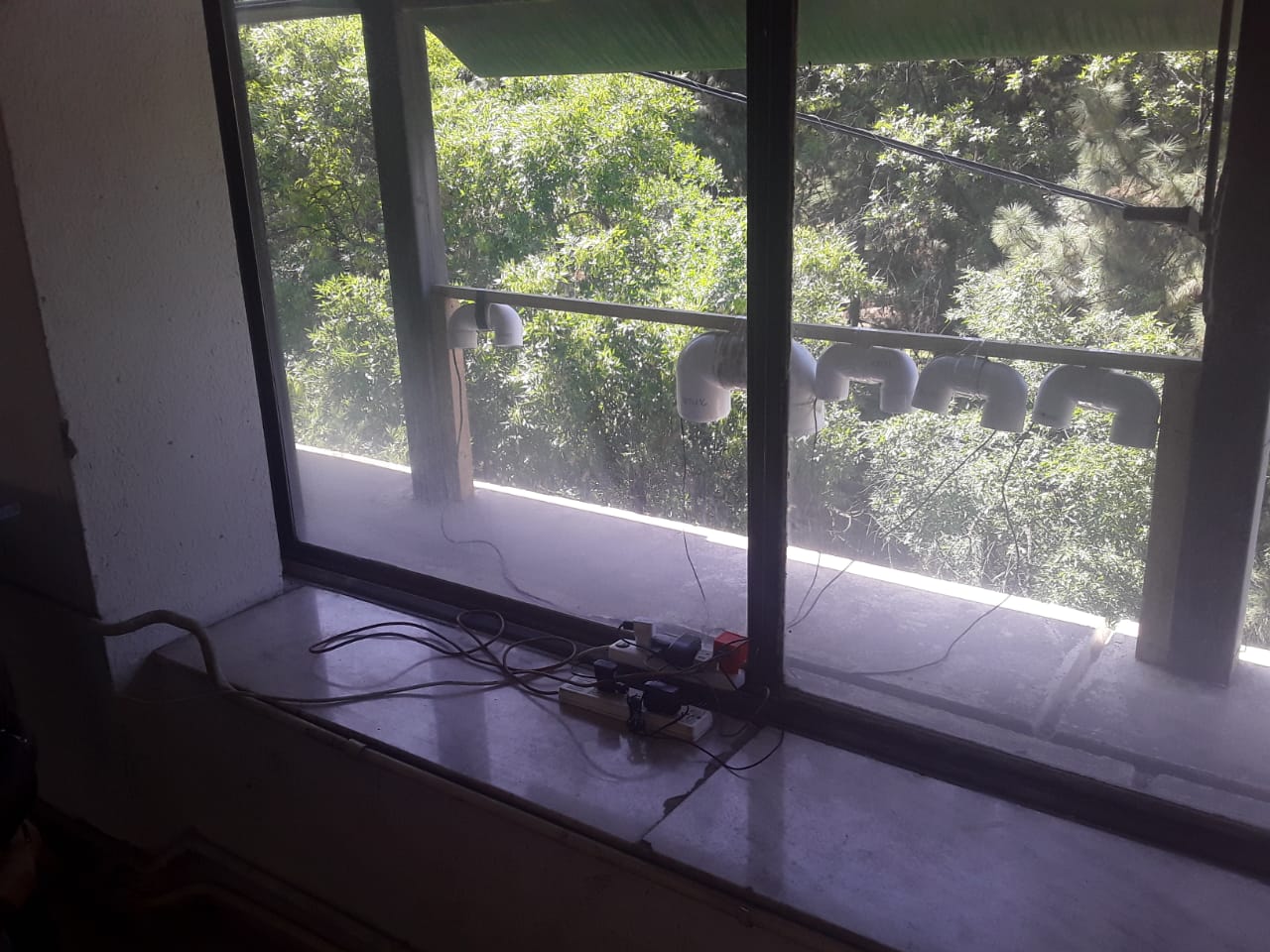
but could not wait and today I moved on to a phone as hot spot to get wifi 😬 want to do a co-location of several sensors (sds011, sds018, sds021, pms7003, sps30) and get an estimate of their dispersion
thanks