# "Alarm" for values
**URL:** https://forum.sensor.community/t/alarm-for-values/1609
**Category:** FAQ
**Created:** [October 24, 2022, 7:55am UTC](https://forum.sensor.community/t/alarm-for-values/1609 "2022-10-24T07:55:38Z")
**Posts on this page:** 10
**Page:** 1
### Author:  [@Ben21](https://forum.sensor.community/u/Ben21)
#### Post date: [October 24, 2022, 7:55am UTC](https://forum.sensor.community/t/alarm-for-values/1609/1 "2022-10-24T07:55:39Z")
Hi everyone,
I’d like to know if it’s possible to “program” an alarm that is released when the air quality goes over a certain amount. For example, an email alarm whenever the air quality goes over 30 micrograms…
Kind regards,
Ben
---
### Author:  [@RuudvanMunsterZTM](https://forum.sensor.community/u/RuudvanMunsterZTM)
#### Post date: [January 22, 2023, 10:06am UTC](https://forum.sensor.community/t/alarm-for-values/1609/2 "2023-01-22T10:06:02Z")
Are you still interested in this feature? I am currently working on this feature. For me the best way is to integrate the sensor in my Home Assistant (HA) domotica system. It is now one of the many sensors that are monitored by HA. HA provides you with support for sending e-mails, controlling actuators, etc.
This solution is extra to sending the data to the sensor community. So you have both local access to the data as well as storage in the sensor community database.
If there is interest, I will publish here how this works.
---
### Author:  [@Ben21](https://forum.sensor.community/u/Ben21)
#### Post date: [January 22, 2023, 2:55pm UTC](https://forum.sensor.community/t/alarm-for-values/1609/3 "2023-01-22T14:55:33Z")
Thank you very much @RuudvanMunsterZTM !
I’d be very happy if you could publish some instructions. 🙂
---
### Author:  [@RuudvanMunsterZTM](https://forum.sensor.community/u/RuudvanMunsterZTM)
#### Post date: [January 23, 2023, 7:45pm UTC](https://forum.sensor.community/t/alarm-for-values/1609/4 "2023-01-23T19:45:26Z")
Hi,
A good way to start is to run the following command from a terminal, for example “cmd”:
```auto
curl http:///data.json > sensordata.txt
```
You will then get a data file that looks like this (depending on the type of your sensor):
```auto
{"software_version": "NRZ-2020-133", "age":"118",
"sensordatavalues":[
{"value_type":"SDS_P1","value":"17.35"},
{"value_type":"SDS_P2","value":"9.60"},
{"value_type":"BME280_temperature","value":"7.12"},
{"value_type":"BME280_pressure","value":"103936.44"},
{"value_type":"BME280_humidity","value":"62.25"},
{"value_type":"samples","value":"5060693"},
{"value_type":"min_micro","value":"28"},
{"value_type":"max_micro","value":"20128"},
{"value_type":"interval","value":"145000"},
{"value_type":"signal","value":"-40"}
]}
```
This is a good start to understand the data structure of the sensor’s output. You also need this to know how the JSON file is received by **Home Assistant** (if you want to integrate your sensor into this domotic environment) and which data is contained in which item.
I have two different air quality sensors and they both have a different data structure for the JSON file.
In Home Assistant you can create a sensor template that organizes the collection of data for you. For those who are familiar with Home Assistant. That template looks like this:
```auto
- platform: command_line
name: "Air Quality Aside PM10 (SDS)"
command: 'curl http://192.168.178.20/data.json'
value_template: "{{ value_json.sensordatavalues[0].value | round(1) }}"
unit_of_measurement: "µg/m³"
- platform: command_line
name: "Air Quality Aside PM2.5 (SDS)"
command: 'curl http://192.168.178.20/data.json'
value_template: "{{ value_json.sensordatavalues[1].value | round(1) }}"
unit_of_measurement: "µg/m³"
- platform: command_line
name: "Air Temperature Aside (BME280)"
command: 'curl http://192.168.178.20/data.json'
value_template: "{{ value_json.sensordatavalues[2].value | round(1) }}"
unit_of_measurement: "°C"
- platform: command_line
name: "Air Pressure Aside (BME280)"
command: 'curl http://192.168.178.20/data.json'
value_template: "{{ value_json.sensordatavalues[3].value | round(1) }}"
unit_of_measurement: "Pa"
- platform: command_line
name: "Humidity Aside (BME280)"
command: 'curl http://192.168.178.20/data.json'
value_template: "{{ value_json.sensordatavalues[4].value | round(1) }}"
unit_of_measurement: "%"
- platform: command_line
name: "Air Quality Aside Samples"
command: 'curl http://192.168.178.20/data.json'
value_template: "{{ value_json.sensordatavalues[5].value | round(1) }}"
unit_of_measurement: ""
- platform: command_line
name: "Air Quality Aside Min_Micro"
command: 'curl http://192.168.178.20/data.json'
value_template: "{{ value_json.sensordatavalues[6].value | round(1) }}"
unit_of_measurement: ""
- platform: command_line
name: "Air Quality Aside Max_Micro"
command: 'curl http://192.168.178.20/data.json'
value_template: "{{ value_json.sensordatavalues[7].value | round(1) }}"
unit_of_measurement: ""
- platform: command_line
name: "Air Quality Aside Interval"
command: 'curl http://192.168.178.20/data.json'
value_template: "{{ value_json.sensordatavalues[8].value | round(1) }}"
unit_of_measurement: ""
- platform: command_line
name: "Air Quality Aside WiFi Signal Strength"
command: 'curl http://192.168.178.20/data.json'
value_template: "{{ value_json.sensordatavalues[9].value | round(1) }}"
unit_of_measurement: "dBm"
```
I find the numbering …sensordatavalues[9]… etc. a weak part of this solution.
You would rather have something like …sensordatavalues[“signal”]… etc.
I’m still looking for that.
This was assuming that you are using an environment like Home Assistant. You could also make something yourself in Python to decode the JSON file and send a message based on that. But if you like this kind of automation, Home Assistant is well worth considering.
The sensor is still sending its data to the Sensor Community site, so the data is still available there for research.
Currently I have some issues with one of my sensors. There is a posting about that on this forum as well.
---
### Author:  [@Gregor](https://forum.sensor.community/u/Gregor)
#### Post date: [August 16, 2023, 10:05pm UTC](https://forum.sensor.community/t/alarm-for-values/1609/5 "2023-08-16T22:05:12Z")
This should be easy to do. I use an app called Pushover to send push notifications to my devices so you could write a script to send a notification if a value goes above a level.
---
### Author:  [@metron6](https://forum.sensor.community/u/metron6)
#### Post date: [January 16, 2025, 5:50pm UTC](https://forum.sensor.community/t/alarm-for-values/1609/6 "2025-01-16T17:50:03Z")
> [@RuudvanMunsterZTM](#):
>
> ```auto
> - platform: command_line
> name: "Air Quality Aside PM2.5 (SDS)"
> command: 'curl http://192.168.178.20/data.json'
> value_template: "{{ value_json.sensordatavalues[1].value | round(1) }}"
> unit_of_measurement: "µg/m³"
>
> - platform: command_line
> name: "Air Temperature Aside (BME280)"
> command: 'curl http://192.168.178.20/data.json'
> value_template: "{{ value_json.sensordatavalues[2].value | round(1) }}"
> unit_of_measurement: "°C"
> - platform: command_line
> name: "Air Pressure Aside (BME280)"
> command: 'curl http://192.168.178.20/data.json'
> value_template: "{{ value_json.sensordatavalues[3].value | round(1) }}"
> unit_of_measurement: "Pa"
> - platform: command_line
> name: "Humidity Aside (BME280)"
> command: 'curl http://192.168.178.20/data.json'
> value_template: "{{ value_json.sensordatavalues[4].value | round(1) }}"
> unit_of_measurement: "%"
>
> ```
they made an integration…
> **[Sensor.Community](https://www.home-assistant.io/integrations/luftdaten/)**
>
> Instructions on how to add Sensor.Community sensors to Home Assistant.
---
### Author:  [@RuudvanMunsterZTM](https://forum.sensor.community/u/RuudvanMunsterZTM)
#### Post date: [January 16, 2025, 6:55pm UTC](https://forum.sensor.community/t/alarm-for-values/1609/7 "2025-01-16T18:55:10Z")
That’s correct. I prefer to have my sensordata directly from the sensor into Home Assistant. E.g. for control of opening/closing windows. In addition, at the time I created this interface, the data of Sensor Community was often not available due to server problems.
---
### Author:  [@metron6](https://forum.sensor.community/u/metron6)
#### Post date: [January 16, 2025, 8:27pm UTC](https://forum.sensor.community/t/alarm-for-values/1609/8 "2025-01-16T20:27:13Z")
maybe you should post your code to home assistant forums…
---
### Author:  [@RuudvanMunsterZTM](https://forum.sensor.community/u/RuudvanMunsterZTM)
#### Post date: [January 17, 2025, 9:07am UTC](https://forum.sensor.community/t/alarm-for-values/1609/9 "2025-01-17T09:07:52Z")
That’s my intention. As I wrote earlier in this topic, my current code is not very suitable for distribution. It works in my specific situation. I want to make it a bit more generic and more resistant to transmission and sensor errors. Unfortunately I haven’t had enough time for that because I’ve been very busy with a tool to visualize particulate matter from a sensor. 🙂
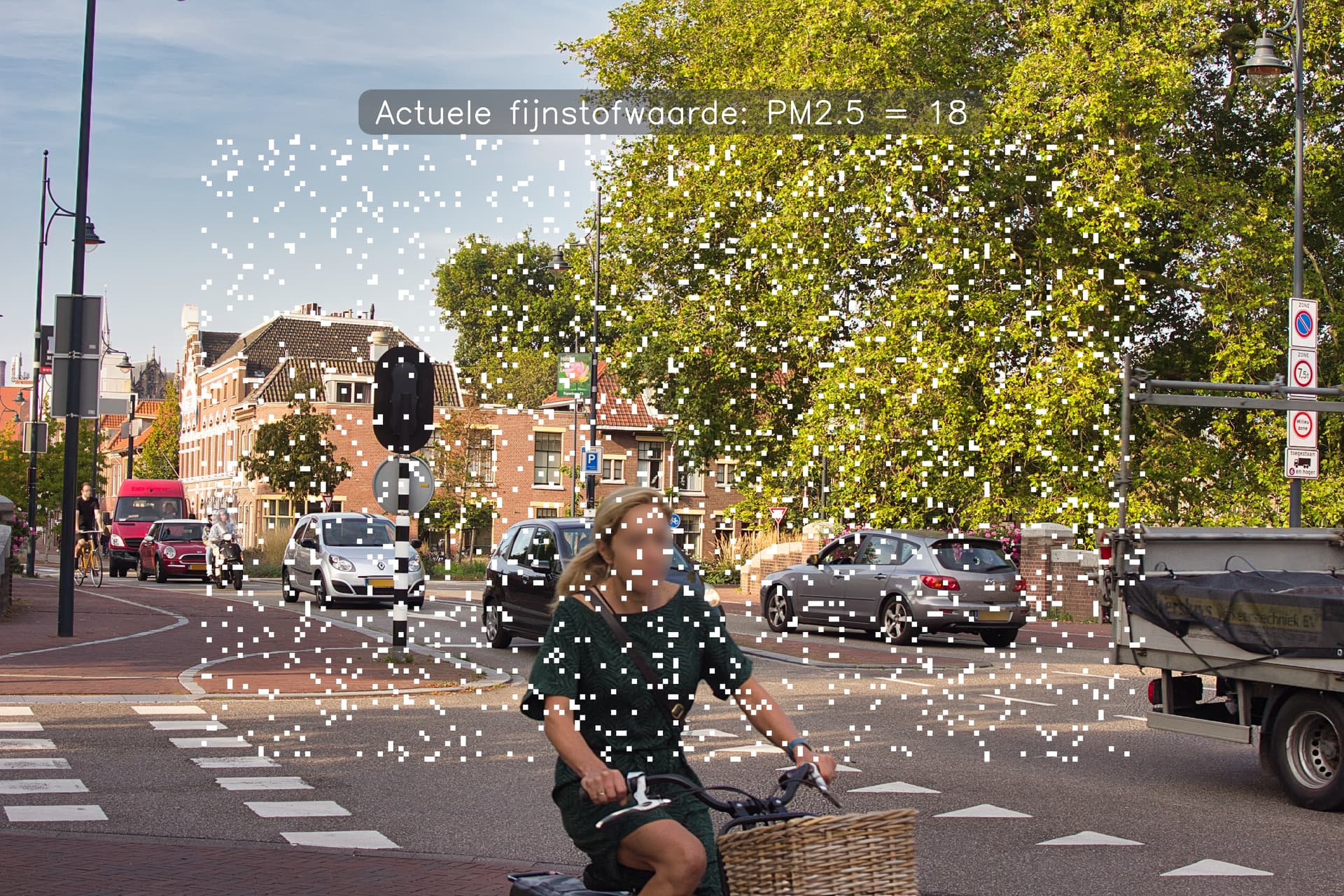
[Digital Pollution Painter](https://digitalpollutionpainter.blogspot.com/)
Unfortunately in Dutch, maybe Google translate helps enough…
---
### Author:  [@metron6](https://forum.sensor.community/u/metron6)
#### Post date: [January 26, 2025, 8:32pm UTC](https://forum.sensor.community/t/alarm-for-values/1609/10 "2025-01-26T20:32:43Z")
the last hours server is down… pls upload the code to home assistant site 🙂